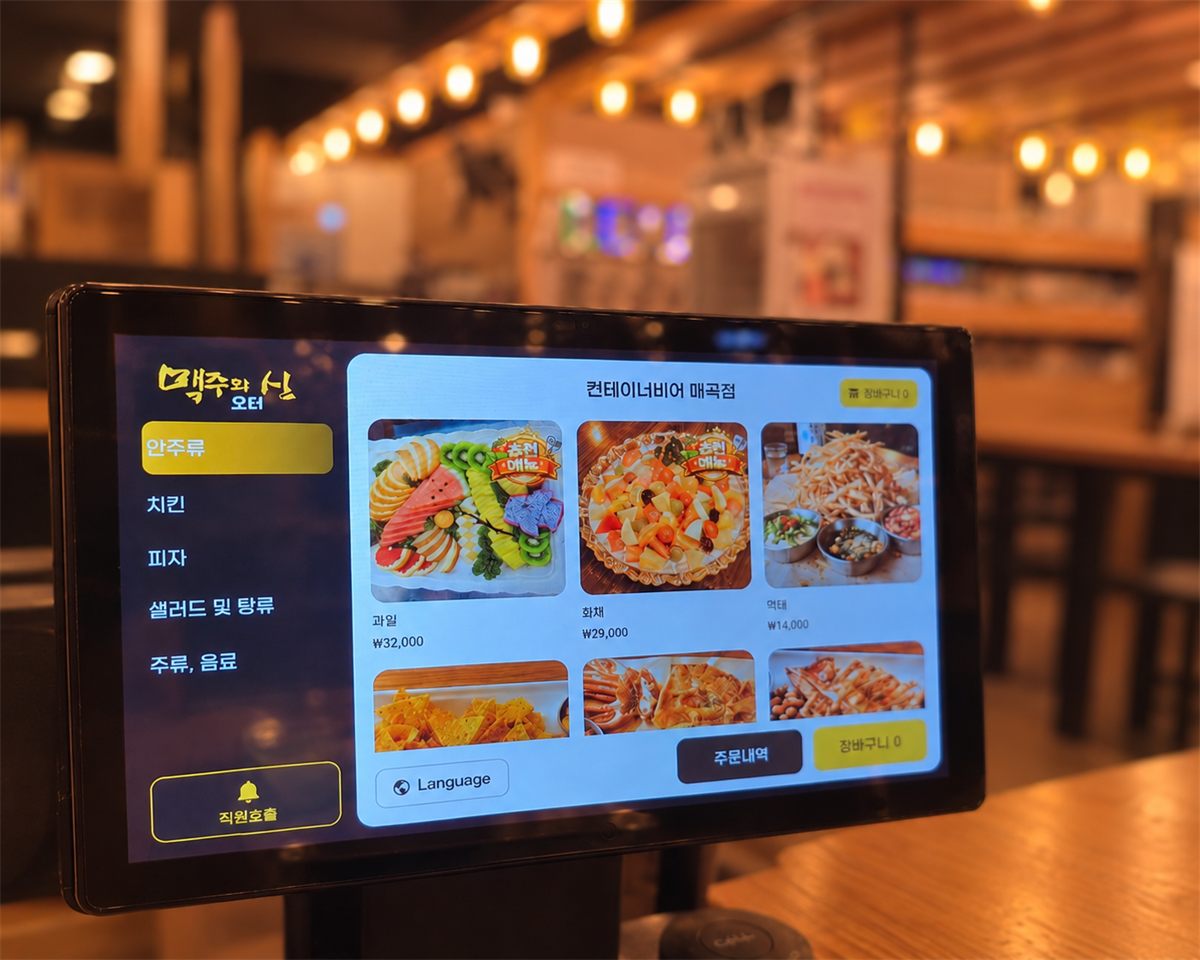
Guests order themselves on a table tablet.
Guests browse the menu and order on the tablet at each table. Orders and staff calls go straight to the kitchen printer and the POS.
Who it's for
SelfTap stores
Guests pour beer with SelfTap and order food and other items on the table tablet.
Stores busy with orders and calls
Orders and staff calls come in through the tablet, so staff don't have to go from table to table taking orders.
Stores with international guests
The menu is shown in Korean, English, Japanese and Chinese. Kitchen tickets print in Korean.
Orders from the table go to the kitchen and the POS
-
1. Browse the menu
See the menu with photos on the tablet. Best sellers, recommendations and spice levels are marked.
-
2. Add and order
Choose options, add to the cart and place the order.
-
3. To the kitchen · POS
Orders print on the kitchen printer and appear in the POS table order status.
-
4. Pay once when you leave
The table's total is paid at the POS. With SelfTap, it is combined with the beer poured.
Less time spent taking orders
Staff call
Guests choose from call options the store has set up. Calls print on the kitchen printer.
Multilingual menu
Choose from Korean, English, Japanese and Chinese. The store can turn languages on and off.
Sold-out display
Sold-out items and options are marked and cannot be ordered.
Order history
Guests can check everything ordered so far at their table and the total.
Party size
Asks for the number of guests before the first order and prints it on the ticket. Can be turned on and off.
Managed from the POS
Changes to the menu, sold-out items and staff call options made in the POS appear on the tablets.
Order App works with the God of Beer POS. It does not integrate with other POS systems. The tablet is locked to the ordering screen, and new versions update automatically.
Works even better with
God of Beer Members
Points are added to membership automatically after payment, leading into levels and challenges.
Go to the brand site (opens in a new window)